Access on WhatsApp
After your order, your access details arrive on WhatsApp, usually within a few minutes, with the steps for your device.
One IPTV subscription for your TV, Fire Stick, phone and computer
Watch 36,000+ live channels and 137,000+ movies and series in HD, Full HD and 4K, with a TV guide and catch-up. Pay once, with no automatic renewal, and try it free for 24 hours first. Prices below are in pounds sterling.
IPTV
SMARTERS PRO
One subscription, every screen
After your order, your access details arrive on WhatsApp, usually within a few minutes, with the steps for your device.
A very large line-up with picture up to 4K, depending on the channel and on your connection.
If it is not right for you, ask within 14 days of your order and we refund you.
We answer on WhatsApp seven days a week, also to help you install the app on your device.
Order, install, watch. Not sure yet? Take the free 24-hour test first.
Choose your plan and check out, or ask for the free test on WhatsApp.
Put Axon Player, or any Xtream Codes or M3U player, on your device and enter the details we send you.
36,000+ live channels and 137,000+ movies and series, with a TV guide and catch-up on many channels.
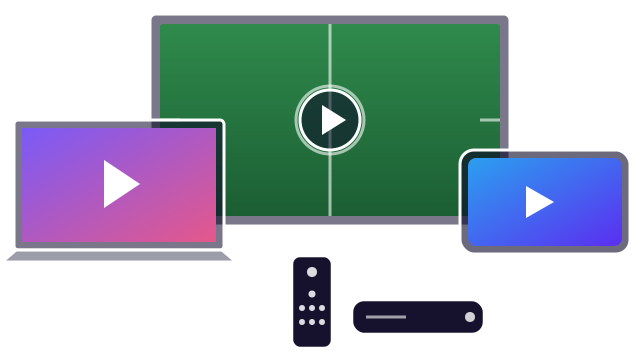
One login for your TV, Fire Stick, phone and computer. Pick how many screens can watch at the same time, then how long you want to subscribe.
IPTV Smarters Pro
£12.57
£12.57 a month · billed once €15.00
Save 0% against paying monthly
IPTV Smarters Pro
£24.31
£8.10 a month · billed once €29.00
Save 36% against paying monthly
IPTV Smarters Pro
£41.07
£6.85 a month · billed once €49.00
Save 46% against paying monthly
Best value
IPTV Smarters Pro
£57.84
£4.82 a month · billed once €69.00
Save 62% against paying monthly
Checkout charges euros. Amounts in pounds sterling are converted at the ECB rate (1 EUR = 0.8382 GBP, 26 Oct 2026) and may differ slightly from your card statement. Not sure yet? Ask for the free 24-hour test first.
Quality, simple setup, many devices and real people to help, all included in every plan.
Live TV for news, sport, entertainment, movies, kids and international viewers, all in one app.
A large on-demand library you can watch whenever you like.
Ultra HD, Full HD or HD depending on the channel and your connection.
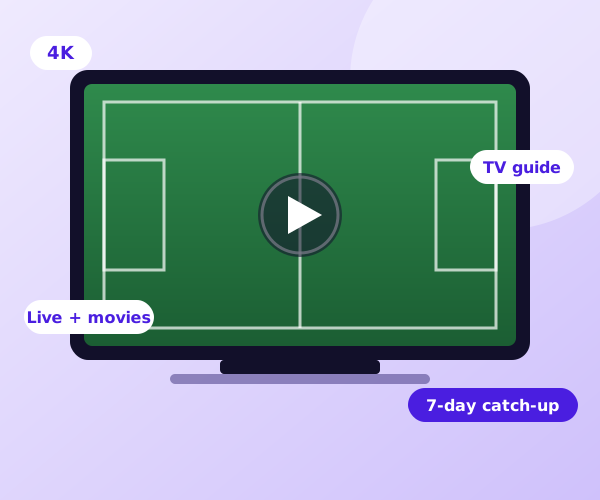
An on-screen guide (EPG) and up to 7 days of catch-up on many channels.
Android TV, Fire TV Stick, phones, iPhone, iPad, Apple TV, and Samsung and LG TVs.
Pick 1, 3, 6 or 12 months. Nothing renews by itself, so there is nothing to cancel.
Seven days a week, including help to install the app and sign in.
Not for you? Ask within 14 days of your order and we refund you.
This subscription is for people who want live TV, movies and series on the screens they already own, without a dish, a cable box or a contract. It suits one person and a whole household.
You get a personal login that works in Axon Player and in other Xtream Codes or M3U players. Your plan sets how many screens can watch at the same time: 1, 2, 3 or 5.
Prices are shown in pounds sterling. Checkout charges euros, so you always see the amount that will be billed. Read the setup guides or ask for the free test.
In our opinion it is the simplest player to use with our service. It installs in minutes, and it is the app we help you with, step by step, on WhatsApp.
Axon Player is an independent app. We are the IPTV service and did not create the app.
Downloader code
736 2822
Fire TV Stick and Android TV: open the Downloader app, type this code and press Go.
Phone, iPhone, iPad, Apple TV and smart TV: search for “Axon Player” in Google Play, the App Store or your TV’s app store.
Everything you need to know before you subscribe.
You get personal access details (Xtream Codes, plus an M3U link if you need one) for 36,000+ live channels and 137,000+ movies and series in 4K, FHD and HD, with a TV guide and up to 7 days of catch-up on many channels. You choose 1, 3, 6 or 12 months and 1, 2, 3 or 5 screens.
No. We are an IPTV service. “IPTV Smarters Pro” is also the name of a popular third-party player app, which we do not own. Your access details work in that app, in Axon Player, in TiviMate and in other Xtream Codes or M3U players. We recommend Axon Player because it is simple to install and we can help you with it step by step.
Install Axon Player (or any compatible player), open it and enter the access details we send you on WhatsApp. The setup guides show every step for Fire TV Stick, Android TV and Samsung and LG TVs.
Axon Player runs on Android TV and Android boxes, Amazon Fire TV Stick, Android phones and tablets, iPhone, iPad, Apple TV and Samsung and LG smart TVs. On a Windows PC or a Mac, use any player that accepts Xtream Codes or an M3U link, for example VLC.
Yes. Ask for a free 24-hour test on WhatsApp. It needs no card, no payment details, and it ends by itself.
As many as your plan says: 1, 2, 3 or 5 at the same time. You can install the app on as many devices as you like. Only the number watching at the same moment counts.
Up to 4K, depending on the channel and your connection. As a guide, a steady 10 Mbps is enough for HD and 25 Mbps or more is better for 4K. A cabled or 5 GHz Wi-Fi connection matters more than raw speed.
Yes. The player shows a TV guide (EPG), and many channels let you go back up to 7 days with catch-up.
No. You pay once for the period you pick. Nothing renews automatically, so there is nothing to cancel later.
Ask for a refund within 14 days of your order and we refund you. The refund policy explains what to send us.
Your access details arrive on WhatsApp, usually within a few minutes of your order, with the steps for your device.
Checkout charges euros. Prices on this site are shown in US dollars on the USA pages and in pounds on the UK pages, converted every day at the ECB reference rate, so your card statement can differ by a small amount.
No reviews yet. Tried us? Tell others how it went.
Guides, tutorials and tips to get the most from your IPTV.
Set up IPTV on an Amazon Fire TV Stick: install Downloader, allow unknown apps, enter the code, install Axon Player…
Read the guideSet up IPTV on Android TV, Google TV and Android boxes: install Axon Player from Google Play or with Downloader,…
Read the guideSet up IPTV on a Samsung or LG smart TV: open the TV’s app store, install Axon Player, sign in…
Read the guideWhat to know before you order your IPTV subscription.
A personal login for live TV, movies and series over your internet connection. You open it in a player app on your smart TV, Fire TV Stick, phone or computer. There is no dish, no cable and no installer visit.
Android TV, Fire TV Stick, Android phones, iPhone, iPad, Apple TV and Samsung and LG TVs with Axon Player, and PCs or Macs with any Xtream Codes or M3U player. One internet connection is enough.
Your access details arrive on WhatsApp, usually within a few minutes of your order, and you can start as soon as the app is installed.
A free 24-hour test, prices paid once with no automatic renewal, a 14-day refund and help on WhatsApp seven days a week.
Yes. It works in any country with a stable internet connection. Picture quality depends on the connection where you are.
Start with the free 24-hour test on your own TV. If you like it, pick a plan.